CASS Tab
The section was originally created to allow information on squawks, MEL’s, part replacement, etc. The data is entered and then reported to the FAA for operator bound by the requirements of the Continuing Analysis and Surveillance System. This may also be by any operator to track part life, MELs, squawks, service bulletins, and create work orders.
To Enter a new CASS Item manually select the '+' button to create a new item. Below each Tab is defined in detail.
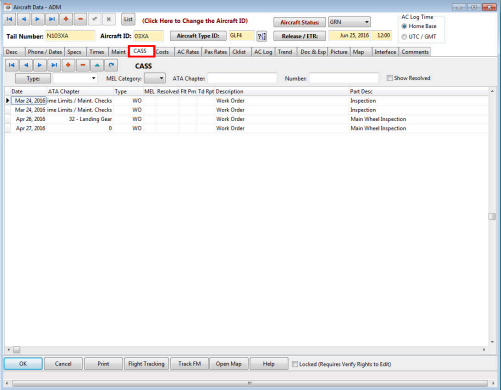
The list may be filtered by type, MEL category or ATA Chapter. You may also see resolved items by checking the “Show Resolved” box.
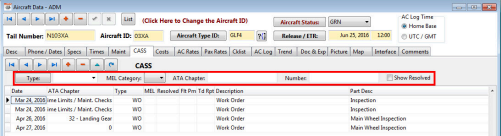
be entered which will in turn display on the schedule board. Clicking the signoff button will lock that section for the user and will apply a date and time stamp.
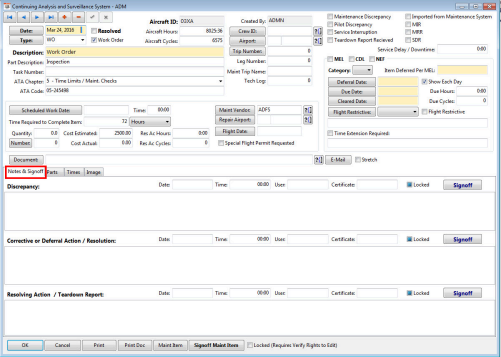
This section contains information on parts. Sub-items may be created by clicking on the “+” so that each sub-item may have the necessary information as well as linked to the parent item.
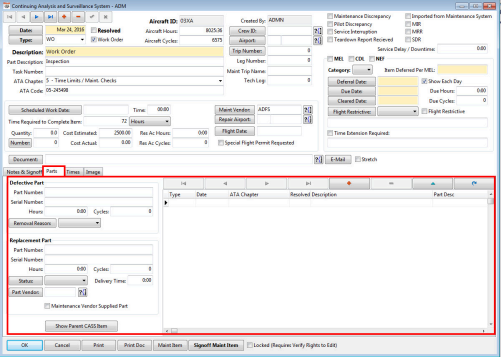
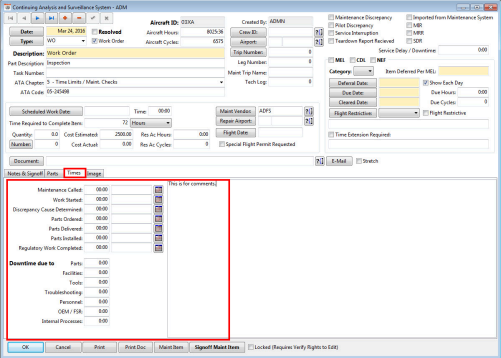
This section contains fields to record time information for the performance of the maintenance. There is a location for comments as well.
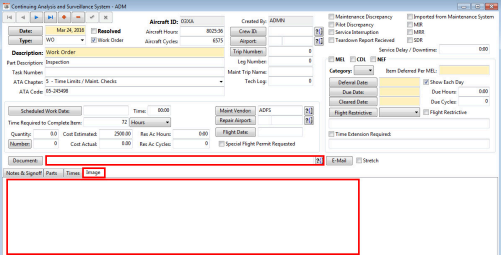
This section contains a location for image files. The image may be added within FOS or may be uploaded from FOS Mobile.
Related Articles
A/C CASS Tab
CASS- Continuing Analysis and Surveillance System On the Flight Log screen you can add a CASS report for the trip aircraft by using the red + Mobile Users can also submit the CASS report in the ARINC FOS Mobile app for the aircraft they are assigned ...Maint Tab
This section contains the standard maintenance items for the aircraft. Items may be entered manually or imported from the maintenance program interface. Filtering Options The top of the list contains filtering fields. You may filter the maintenance ...Desc Tab
This tab contains general information for the aircraft as well as information used for filtering in the scheduling portion of FOS and interface information. Fields used for Informational Purposes The following fields are for informational purposes ...Maintenance Tab
Maintenance Tab This tab allows the user to specify a set of maintenance items that belongs to each aircraft of this specific type. Populate fields accordingly, select OK once completed: Select the “Synchronize Aircraft Maintenance” button to ...Chklist Tab
Any checklist group that is applicable to this aircraft specifically may be selected. When a trip is built using this aircraft, the checklist will automatically be added at the trip level. Click the "+" button to add the appropriate checklist group. ...