Comments Tab
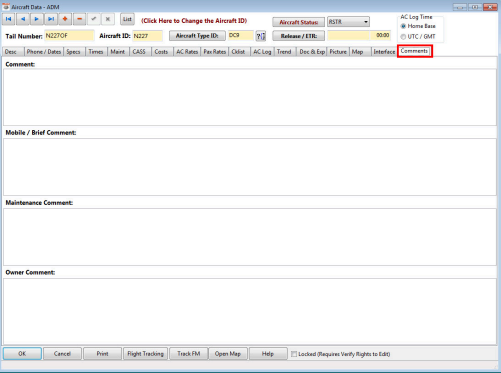
Enter any comments applicable to the aircraft in this section.
Comment – Enter general comments
Mobile/Brief Comment – Comments entered here will be sent with the briefing to FOS Mobile.
Maintenance Comment – Comments entered here will display on the aircraft status board.
Owner Comment – Comments entered here will be displayed when selecting the aircraft for a quote if the “Owner Approval Req” box is selected in the Desc tab.
Related Articles
AC Log Tab
AC Log Tab The aircraft log displays the logs from each day of aircraft flight operations. The logs are derived from the verification of the flight logs or from manual entries by the user. Manual entries may be for reasons of initial entry, ...Maint Tab
This section contains the standard maintenance items for the aircraft. Items may be entered manually or imported from the maintenance program interface. Filtering Options The top of the list contains filtering fields. You may filter the maintenance ...Web Tab
The “Web” Tab contains options and fields for e-mail and proxy server settings, FOS Mobile settings, trip sheet and briefing options. (Main view of the Web Tab) “SMTP E-Mail and SSL” Section SMTP -Mail - Simple Mail Transfer Protocol (SMTP) - ...Comments Tab
Comments Tab Enter any general comments under this section. Select OK to save changes.Crew Activity Summary - AC Type
Report Name: cdamnthactype.rpt Portrait or Landscape: Landscape Report Group: Crewmember Comments: Includes activities that are not cancelled; Dates are Crew Home Base; * Counted as additional duty day per settings in Company data, Times tab; Crew ...